
Managing device services
The Device Management application lets you monitor the data that your devices send about the services they are running.
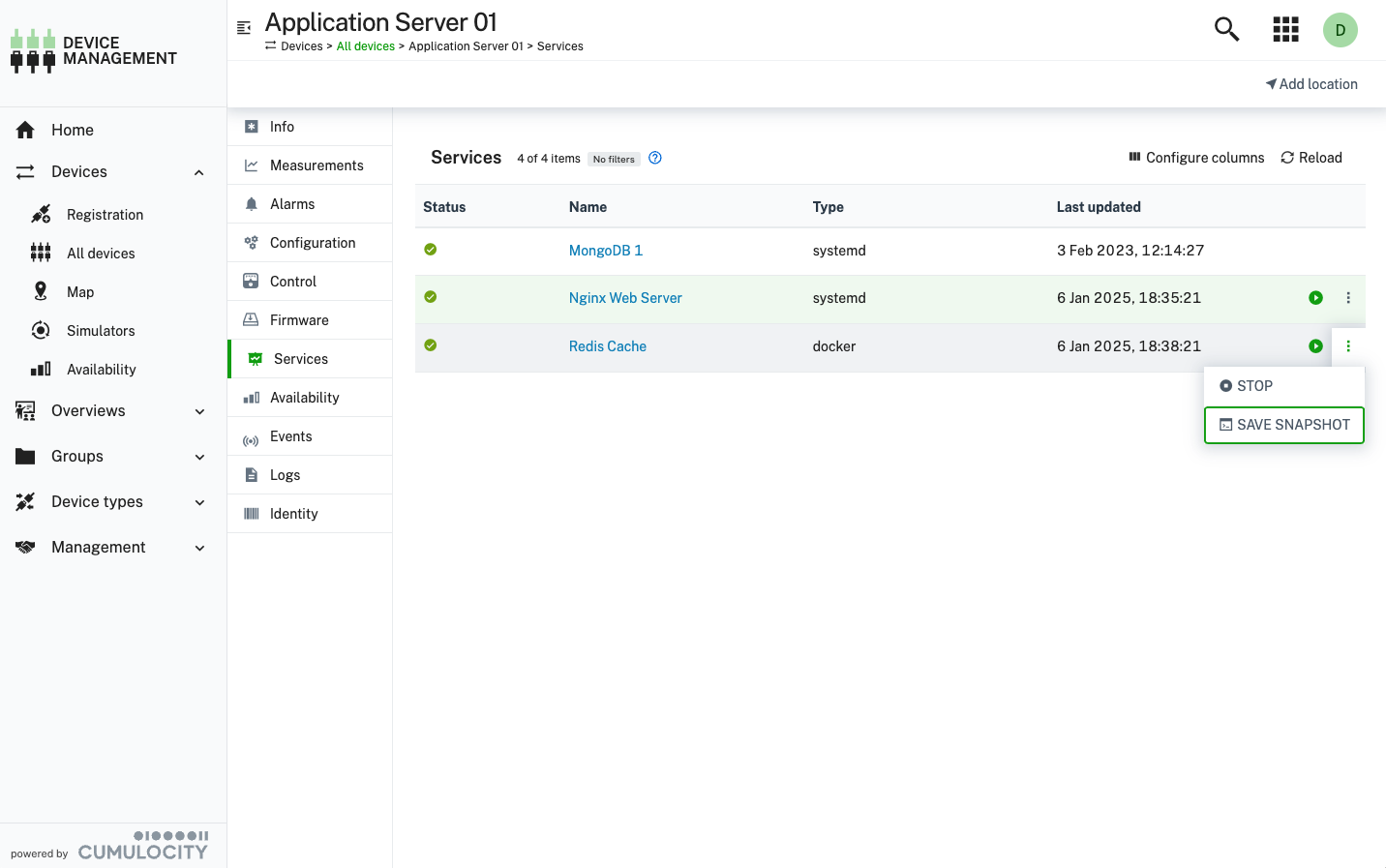
The Services tab on the device details view provides an overview of the services running on a given device and acts as an entry point to the service details view. There you can see detailed information about the alarms, events, and measurements sent for every service. Depending on what the service supports, further tabs such as Logs, Location, or Remote access are available.
For services that support commands, actions like Start, Stop, Restart, or custom commands appear in the menu of each service. This allows users to quickly send commands without opening the full service details.
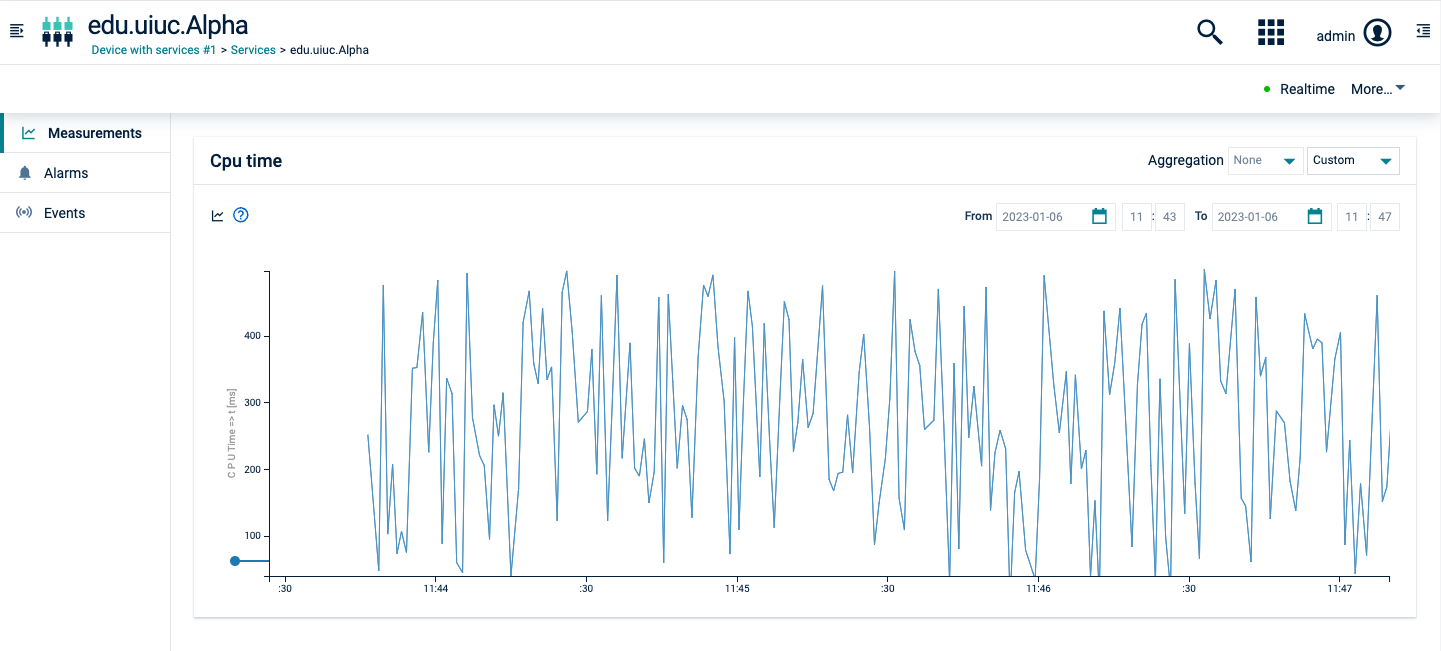
The service details view is divided into tabs. The number of tabs is dynamic. A tab is only displayed if the service supports the related functionality. Every service shows at least the Info, Alarms, Events, and Commands tabs.
The following tabs are described in detail in separate sections below:
| Tab | Description |
|---|---|
| Alarms | Provides information on the alarms for a service. See Working with alarms. Available for each service. |
| Events | Displays events related to a service. Available for each service. |
| Measurements | Provides a default visualization of numeric data of the service in the form of charts. |
| Commands | Allows users to send command actions to a service and view the history of executed commands. |
Tabs shared with devices
The service details view also shows the tabs of the device details view that apply to a service. Each tab appears under the same conditions as on a device. That means, the service must declare the same fragments that a device requires for the tab. For example, the Location and Tracking tabs require the c8y_Position fragment, and the Shell tab requires c8y_Command in the supported operations of the service.
The following tabs work the same way as on the device details view:
- Info
- Logs
- Shell
- Tracking
- Location
- Network
- Software
- Firmware
- Configuration
- Device profile
- Diagnostics
- Remote access
Service commands
The Commands tab allows users to send available service commands and track their execution history. If a service supports commands, they will appear as action buttons in the services list and as selectable options in the service Commands tab.
Sending commands to services
For a service to support commands, it must include the c8y_ServiceCommand fragment in its supported operations.
Supported services may provide specific command actions, such as:
- Start/stop
- Restart
- Custom commands (for example, “Flush cache”, “Update”, “Reset settings”)
If a service does not specify commands, a default set (Start, Stop, Restart) is available.
Tracking service command history
The Commands tab displays a history of executed commands, including:
- The command type (Start, Stop, and so on).
- The execution status (Pending, Completed, Failed).
- Timestamps for sent and completed actions.
Alarms
The Alarms tab provides information on the alarms of a service. See Working with alarms for detailed information on alarms. When you click an alarm, its details open within the service details view.
Events
The Events tab displays events related to a service. See Troubleshooting devices for detailed information. When you click an event, its details open within the service details view.
Measurements
The Measurements tab provides a default visualization of numeric data for the service in the form of charts.
For more information about how to use the Measurements tab see Measurements.