The Account page provides comprehensive information about your account, contract details, consumption data, and billing history. The page is organized into three tabs: Overview, Consumption, and Details & History.
Overview
The Overview tab provides a high-level summary of your account and environments.
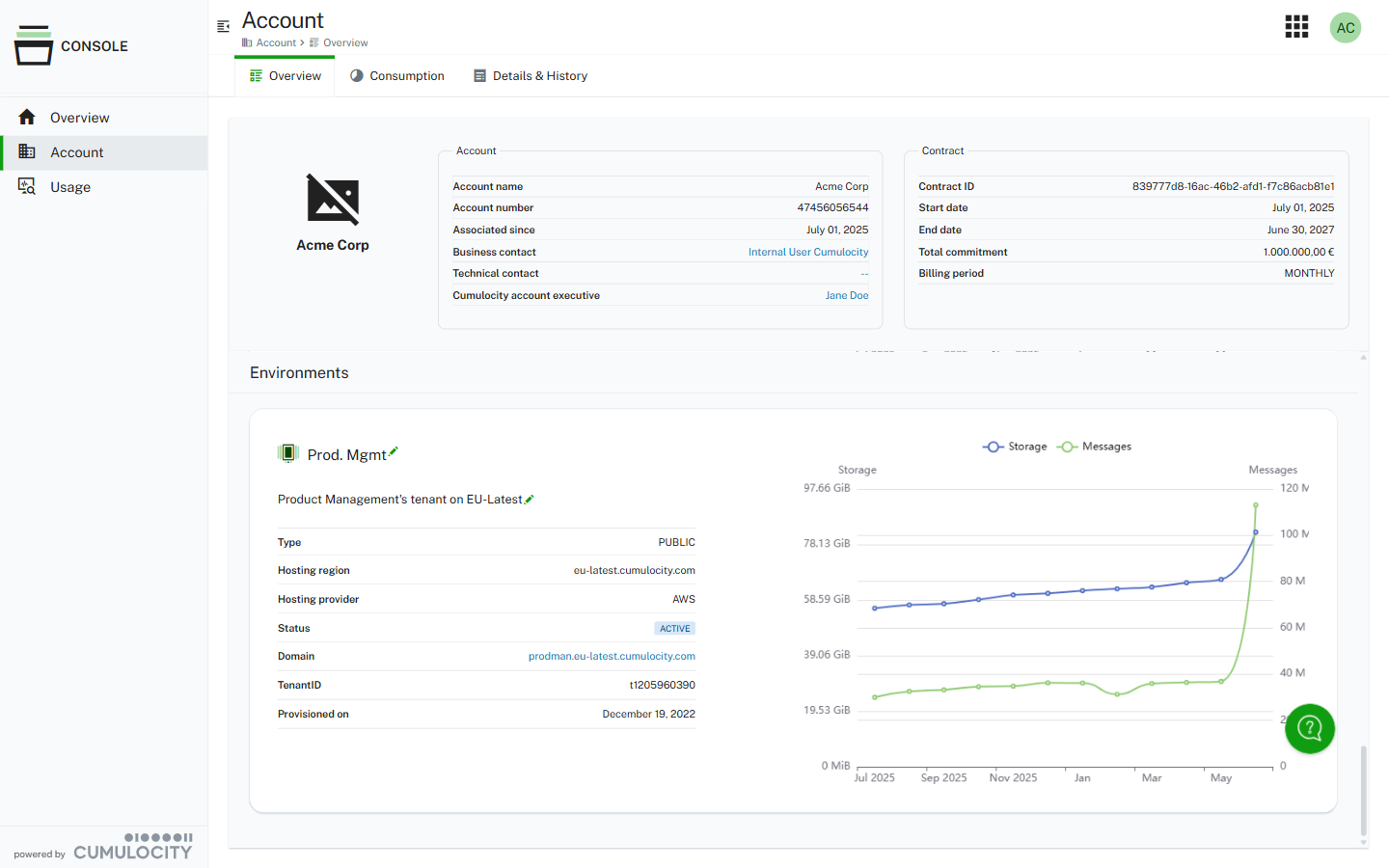
Account information
The left section displays your account details:
Account name - The name of your account
Account number - Your unique account identifier
Associated since - The date when your account was associated
Business contact - The primary business contact person
Technical contact - The primary technical contact person
Cumulocity account executive - Your assigned account executive
Contract details
The right section displays important information about your contract with Cumulocity:
Contract ID - Your unique contract identifier
Start date - The contract start date
End date - The contract end date
Total commitment - The total spend amount as agreed in the contract
Billing period - The billing frequency (for example, MONTHLY)
Environments
The Environments section lists all environments associated with your account. For each environment, you can view:
Environment name - The name and description of the environment (editable)
Type - The environment type (for example, PUBLIC)
Hosting region - The hosting region (for example, eu-latest.cumulocity.com)
Hosting provider - The cloud hosting provider (for example, AWS)
Status - The current status (for example, ACTIVE)
Domain - The domain URL for accessing the environment
Tenant ID - The unique tenant identifier
Provisioned on - The date when the environment was provisioned
Each environment also displays usage graphs showing Storage and Messages trends over time.
Consumption
The Consumption tab shows monthly drawdowns and commitment details.
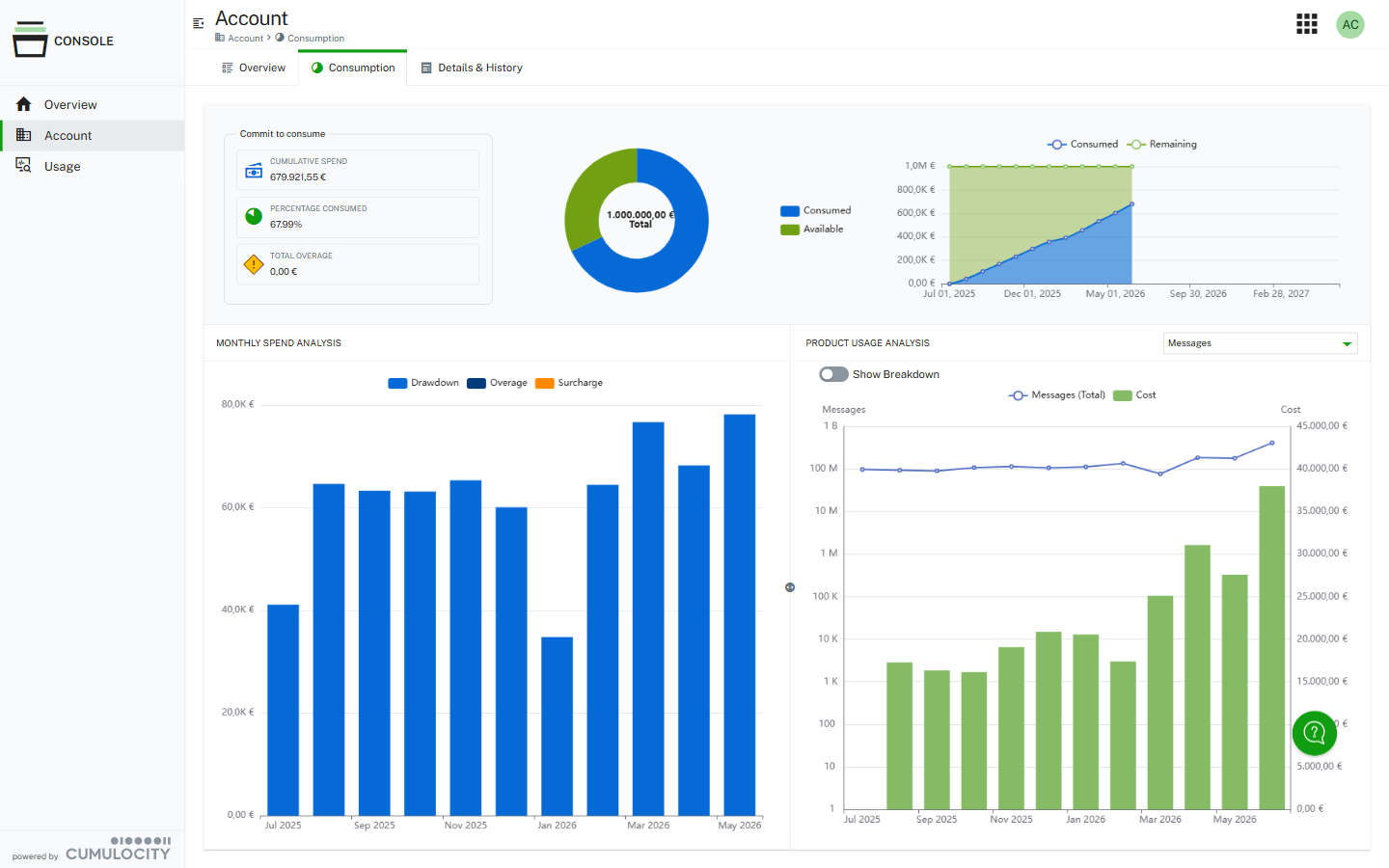
Commit to consume
The Commit to consume widget displays a pie chart showing consumed versus available commitment. The widget includes:
Cumulative spend - The cumulative spend so far
Percentage consumed - The percentage of the total commitment that has been used
Total overage - Any overage charges (if applicable)
A line graph shows the consumed and remaining commitment over the contract duration.
Monthly spend analysis
The Monthly spend analysis section showcases a month-over-month comparison of the total usage charges for each active month of the contract. This enables you to quickly compare and see which months are more or less expensive.
The bar chart displays three categories:
Drawdown - The commitment drawn for the month
Overage - Any overage charges
Surcharge - Any additional surcharges
Product usage analysis
The Product usage analysis section allows you to analyze usage patterns for specific pricing components.
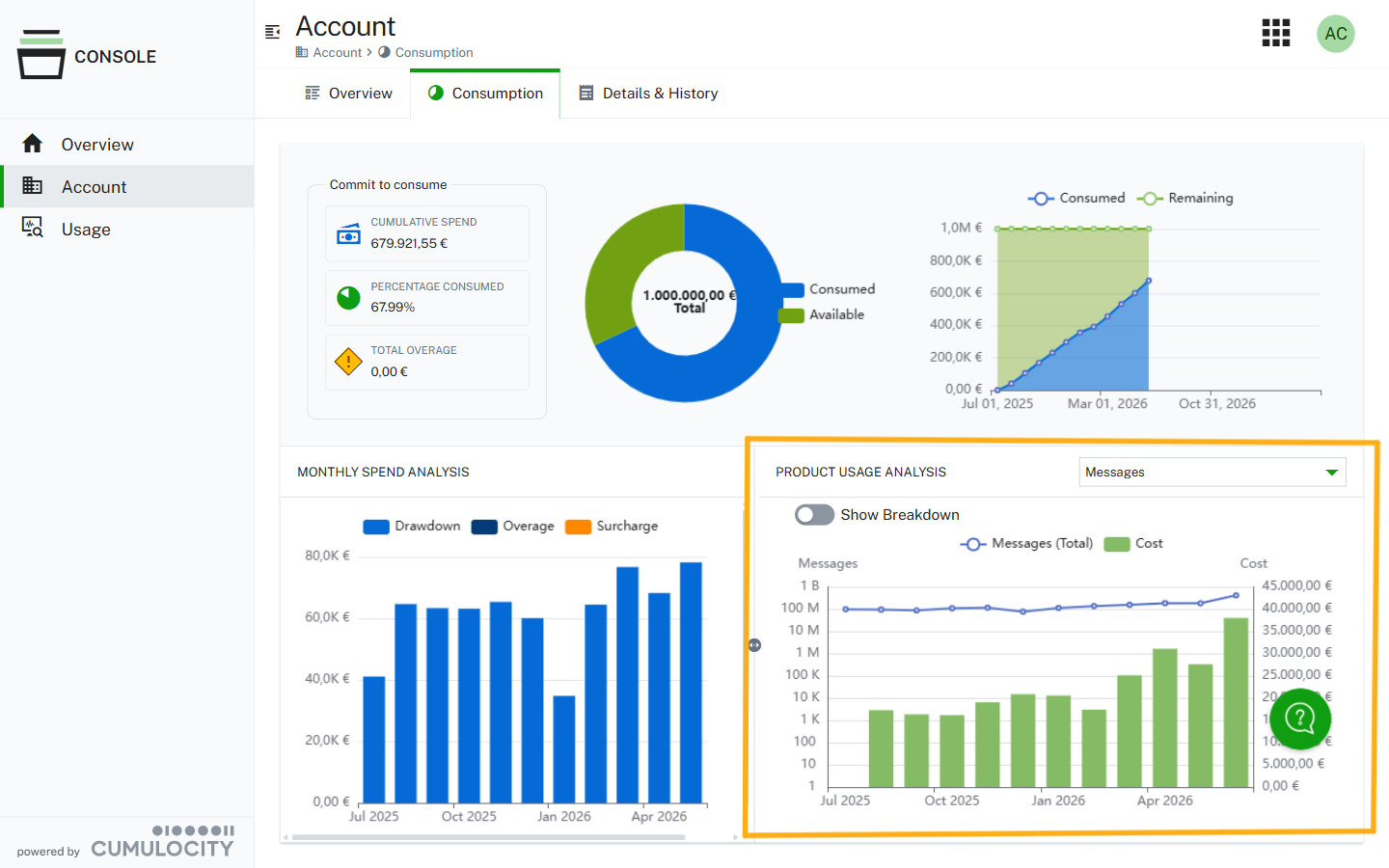
Use the dropdown menu in the top right to select different pricing metrics (for example, Messages, Devices, Storage).
Toggle Show Breakdown to view detailed breakdowns of the selected metric. The chart displays both the total usage and the associated costs over time.
Details & History
The Details & History tab provides a detailed breakdown of monthly consumption for each billable product.
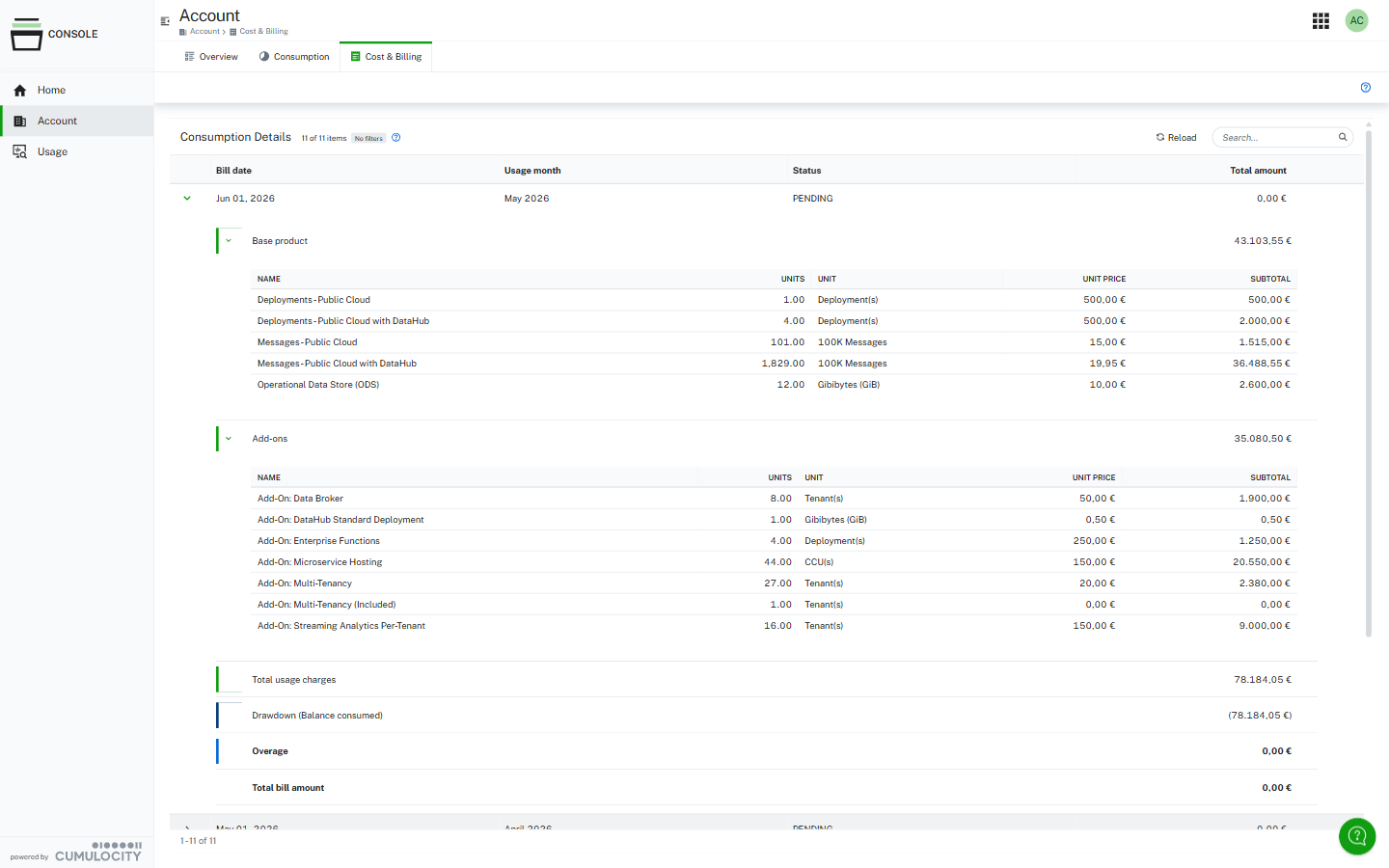
Consumption details
The consumption details table contains a row for each billable month for the duration of the contract. Expand and collapse each row using the caret icon to the left of the bill date.
The Bill date corresponds to the date on which the drawdown occurs. The Usage Month is the month in which the usage occurred. For example, the usage month of January 1, 2025 through January 31, 2025 would have a corresponding bill date of February 1, 2025. For billing purposes, UTC time is used.
Each bill contains the following information:
Base product - Shows line item details including the standard set of Cumulocity pricing metrics such as Deployments, Messages, and Operational Data Store (ODS). Usage is calculated into billable units, which are defined in the Cumulocity license metrics. Unit prices are taken from the product catalog of the contract.
Add-ons - Can be expanded to view line item details. Includes any add-ons that were activated and had usage during the usage month. Usage is calculated into billable units as defined in the Cumulocity license metrics. Unit prices are taken from the product catalog of the contract.
Total usage charges - The sum of all usage charges (base product plus add-ons).
Drawdown (Balance consumed) - How much the commitment was drawn based on the usage charges. This usually equals the total usage charges unless there is an overage scenario, in which case the values will be different (the remaining commitment is less than the total usage charges for that month).
Overage - Any charges exceeding the available commitment for the month.
Total bill amount - The final bill amount for the month.
Each bill can be one of the following states:
NEW - The usage month has passed and an empty consumption bill has been created, but not yet filled in with usage details.
PENDING - The usage details and consumption drawdown have been added to the bill. Bills in this status can still be modified if needed.
APPROVED - The finalized bill has been created and no longer can be modified or deleted, as it has been passed to the Cumulocity finance department for reconciliation.
